Midjourney makes some of the best AI images there are. MoodyBoards makes fewer kinds of images, on purpose, so they all look like one brand. Here is an honest comparison of the two, what each costs as of November 2026, and when to use which.
Use Midjourney if you want the widest range and the highest raw image quality, and you're happy to learn prompts and style references. Use MoodyBoards if you want to lock a brand direction first, as a mood board and a simple brand kit, so every image you make after that stays on-brand without prompt engineering. Full disclosure: we make MoodyBoards.
| Midjourney | MoodyBoards | |
|---|---|---|
| What it is | A general AI image and video generator | An AI mood board and brand kit tool that also makes on-brand images |
| You start with | A prompt, plus optional style and image references | A sentence or two about your brand or project |
| Raw image quality and range | Excellent. One of the best. | Good, but narrower by design |
| Style control | Style references (--sref), personalization profiles and its own moodboards | The mood board itself is the style, applied to every image |
| Palette and type | No. It makes images, not a brand kit. | Yes. Palette and type pairing come with every board. |
| Prompt skill needed | Helps a lot | Plain words |
| Logos | Not its strength | Doesn't make logos |
| Price (as of Nov 2026) | $10 to $120 a month; about 20% less billed yearly | Free to sign up; from $9.99 a month |
In Midjourney, the brand lives in your prompt. Every new image is a new request, and staying consistent means carrying the same words, codes and references forward each time. It works, and people get great results. But the consistency is your job.
In MoodyBoards, the brand lives in the board. You make the mood board once: palette, type, lighting, the feel of the photography. Every image you make from that board inherits it. You ask for “a product shot on a kitchen counter” and the board supplies the rest.
That's the whole trade. Midjourney gives you more freedom. MoodyBoards gives you fewer ways to drift.
Midjourney's images are hard to beat. Light, texture and composition often look like a real photographer or illustrator made them. If the single best-looking image is what matters, Midjourney is the stronger tool.
It can do almost any style: film stills, oil paintings, 3D renders, anime, editorial fashion. It also makes short video. MoodyBoards is built around brand and project imagery, not every style under the sun.
Midjourney has real tools for consistency. A style reference (--sref) lets you point at an image or a style code and carry its look into new prompts. Personalization profiles learn your taste from images you rate. Midjourney even has its own “moodboards”: a set of images you pick that steers the style of everything you make with it. In skilled hands, these get very consistent results.
The Explore page is full of other people's images and prompts. It's one of the best places on the internet to find visual ideas.
Midjourney's style tools assume you already know the look and have images that show it. MoodyBoards is for the step before that. You describe the brand in plain words and get a full direction back to react to: images, a color palette and a type pairing that go together.
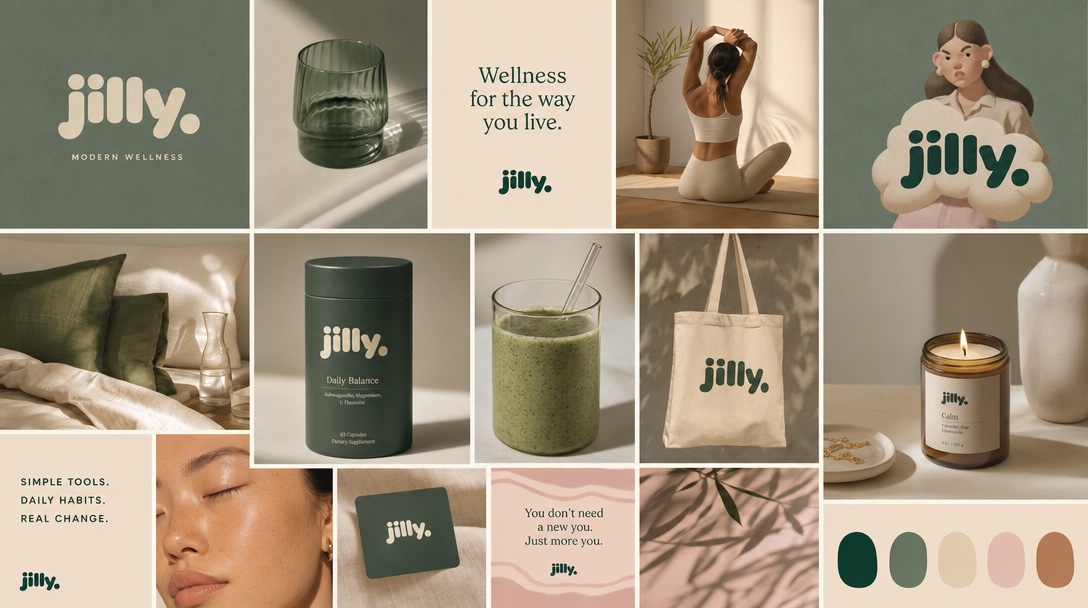
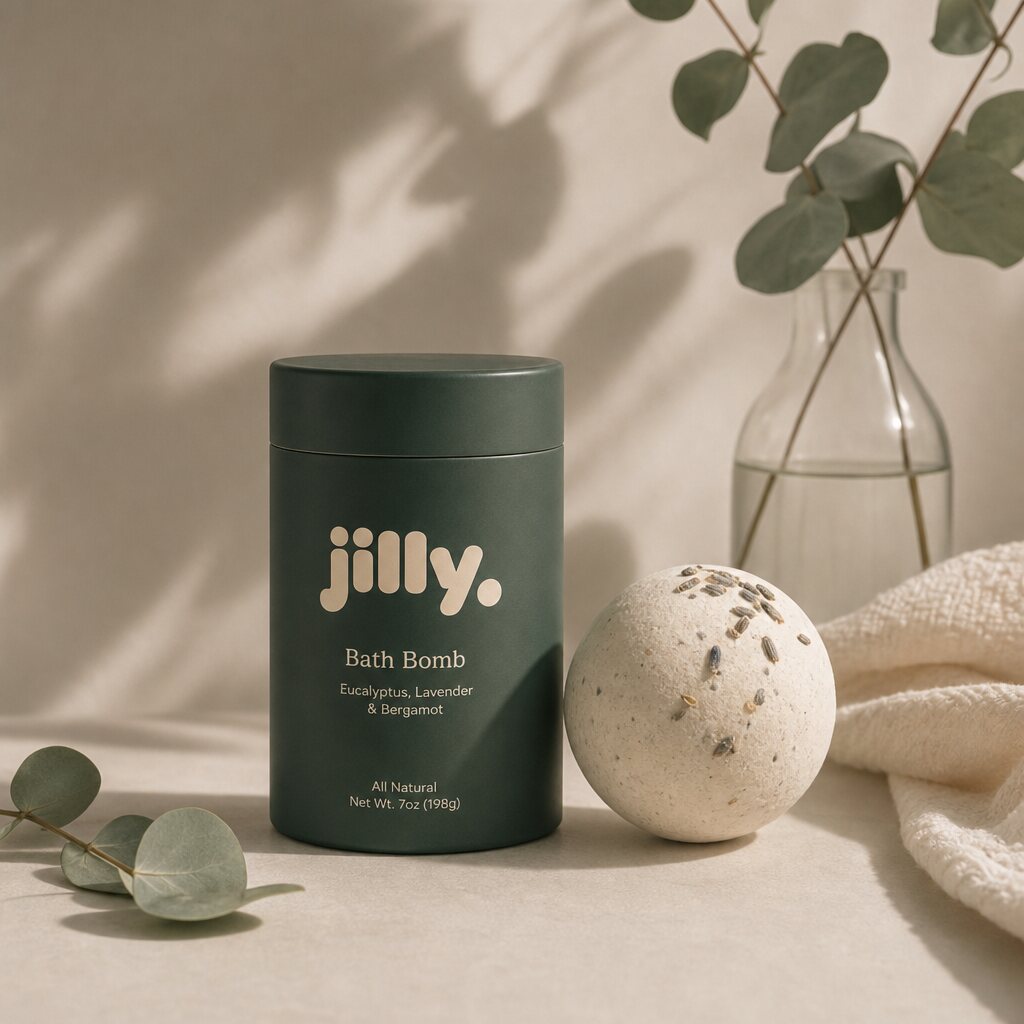
A board for a sample wellness brand, and a product shot made from it. The palette and mood carry over without restating them in a prompt.
Midjourney gives you images. It doesn't give you hex codes or a font pairing to hand to whoever builds your website or packaging. MoodyBoards turns the board into a simple brand kit you can reuse. It doesn't make logos, so bring your own or get one from a designer.
You don't need to learn parameters, weights or style codes. You write what you need in normal words, like “Instagram post for our winter launch”, and the board handles the look.
Because every image starts from the same board, a library of product shots, social posts and banners looks like it came from one brand. With Midjourney you can get there too, but you have to keep the setup the same every time, and so does anyone else on your team.
Both tools change pricing from time to time, so check before you buy.
Basic: $10 a month.
Standard: $30 a month.
Pro: $60 a month.
Mega: $120 a month.
Paying yearly takes about 20% off. Plans differ mainly in fast generation time, relaxed mode and private (Stealth) mode.
Free to sign up. Your first board is a preview.
Starter: $9.99 a month.
Pro: $19.99 a month.
Monthly, cancel anytime. Paid plans include the palette, type and mood spec, on-brand images from any board, and full-resolution downloads.
They fit together well. Set the direction in MoodyBoards, then take the board's images into Midjourney as style references when you need a showpiece image it can't make. You get Midjourney's quality with a brand look that's already decided.
If you're weighing image models more broadly, our post comparing Midjourney vs Nano Banana vs GPT Image covers what each model is good at.
Not for raw image quality or range. Midjourney is one of the best image generators there is. MoodyBoards is better when you need a brand direction first, as a mood board with a palette and type pairing, and want every later image to stay on-brand without prompt engineering.
Yes, with effort. Style references (--sref), personalization profiles and Midjourney's own moodboards all help carry a look across images. You have to reuse the same setup every time, and so does anyone else on your team.
As of November 2026, Midjourney plans are $10, $30, $60 and $120 a month (Basic, Standard, Pro and Mega), with about 20% off when billed yearly.
No. MoodyBoards makes mood boards, a simple brand kit with palette and type, and on-brand images. For a logo, work with a designer or a logo tool and bring it in.
Yes. Set the brand direction in MoodyBoards, then use the board's images as style references in Midjourney when you need a showpiece image in the same look.