
Canva is great at making things. It's less great at making things that look like your brand. If your visuals keep coming out generic, here are seven honest alternatives — grouped by what you're actually trying to do.
Canva earned its spot. It's fast, it has a template for everything, the stock library is enormous, and a total non-designer can ship a passable social post in ten minutes. For assembling graphics quickly, it's hard to beat. The complaint that sends people looking for an alternative isn't about ease — it's about sameness. Because everyone starts from the same templates and the same stock, Canva output tends to look like Canva output. When you're trying to build a brand people recognize, that's the wrong problem to still have.
So "Canva alternative for branding" splits a few ways. Some people want a more capable editor. Some want AI to generate original brand assets instead of arranging stock. Some just need one specific piece — a logo, a place to collect references, or templated infographics. We've grouped the list by intent. Full disclosure: MoodyBoards is our tool, and it's #1 here because it does the thing Canva structurally doesn't — but we've been straight about where Canva and the others genuinely win.
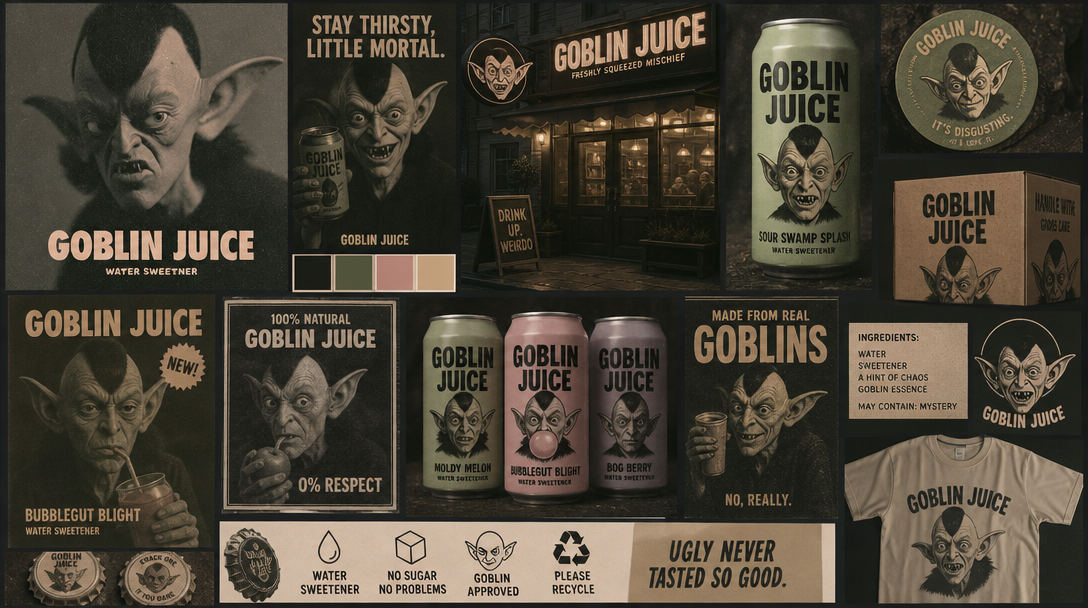
This is the layer Canva skips. Instead of handing you templates and stock to arrange, MoodyBoards generates a visual direction: describe your brand and it produces an original mood board — palette, typography feel, lighting, subject, and mood — then generates on-brand imagery that inherits that direction. It saves one visual direction, and new images you make pick it up, so a set of visuals actually looks like it belongs together instead of looking like ten different templates. Best when your problem is "everything I make looks generic," not "I need to lay out a flyer." Note what it is not: it doesn't make logos or print-ready files — it gives you a visual direction plus matching imagery. Output is licensed for commercial use with no attribution. See the full MoodyBoards vs Canva breakdown →
The most direct Canva swap. Adobe Express is a templates-plus-drag-and-drop editor with generative fill, background removal, and brand-kit features, backed by Adobe Firefly and the wider Adobe ecosystem. If you want Canva's workflow but with better generative tooling and a path into Photoshop and Illustrator later, this is it. Still template-and-stock at its core, so it shares Canva's sameness risk unless you push it.
A real design tool, not a template gallery. Figma gives you precise control, reusable components, shared design systems, and collaboration — the right pick if a team is maintaining a brand at scale and wants everything on-system. The tradeoff is a learning curve; it's overkill if you just need a quick post, and it won't generate imagery for you the way an AI tool does.
Recraft is strong where Canva is weak: generating original vector art, icons, and illustrations in a consistent style you can define and reuse. Good for building a set of on-style graphic assets rather than placing stock. It's asset generation, not a full layout editor or a brand direction — think of it as a source of custom visuals you bring into a design tool.
If the specific thing you keep reaching into Canva for is a logo, a dedicated AI logo maker does it better. Looka generates a mark and a basic brand kit from a name and a few style choices. It's logo-first and won't give you a broader look or original imagery — but for the one job, it's more focused than Canva's logo tool. See Looka alternatives if you want to compare.
Milanote isn't a generator — it's a flexible board for collecting images, notes, and links and arranging them by hand. The right tool when you're in the gathering-and-thinking phase, pulling references before anything gets made. It won't produce assets for you; it's where you organize the ones you find. Compare it with generating a board from a description instead.
If your Canva use is specifically infographics, reports, and data-heavy graphics, Piktochart and Visme are more specialized for that format, with stronger chart and infographic templates. Same underlying model as Canva — templates you populate — so the sameness caveat applies, but they're sharper for structured, information-dense layouts.
It depends on what you use Canva for. If you want the same all-in-one editor with more design power, Adobe Express and Figma are the closest swaps. If your real problem is that your visuals look generic and off-brand, MoodyBoards is the better fit — it generates a visual direction from a description of your brand and then original on-brand imagery that inherits it, which is the layer a templated editor doesn't produce.
Yes. Several tools have a free tier. Adobe Express, Figma, and Recraft all let you start for free, and MoodyBoards gives you your first mood board and first image free with no card. Which one fits depends on whether you need an editor, vector assets, or an original visual direction.
MoodyBoards generates an original visual direction and on-brand imagery instead of handing you templates and stock to arrange yourself. Describe your brand and it produces a mood board — palette, typography feel, lighting, subject, and mood — then generates images that inherit that direction, so a set of visuals looks like it belongs together. It does not make logos or print-ready files; it produces a visual direction and matching imagery. Output is licensed for commercial use with no attribution.