Almost every "AI brand kit generator" is really a logo maker with templates bolted on. That's fine — if a logo is what you need. Here's an honest look at seven tools, grouped by what they actually deliver.
Search "AI brand kit generator" and you'll get a wall of tools promising a complete brand in minutes. Use a few and a pattern emerges: they generate a logo, then wrap the same mark onto business cards, social templates, and an email signature and call it a "brand kit." That's genuinely useful when you're standing a brand up from nothing. But it leaves out the part that actually makes marketing look like one brand — the palette, the typography feel, the photography style, the mood.
So we've split this list by what you're really after: a logo and a starter kit, or the visual direction and imagery around it. Full disclosure — MoodyBoards is ours, and it's here because it does the second thing. We've been straight about which tools win when you just want a logo.
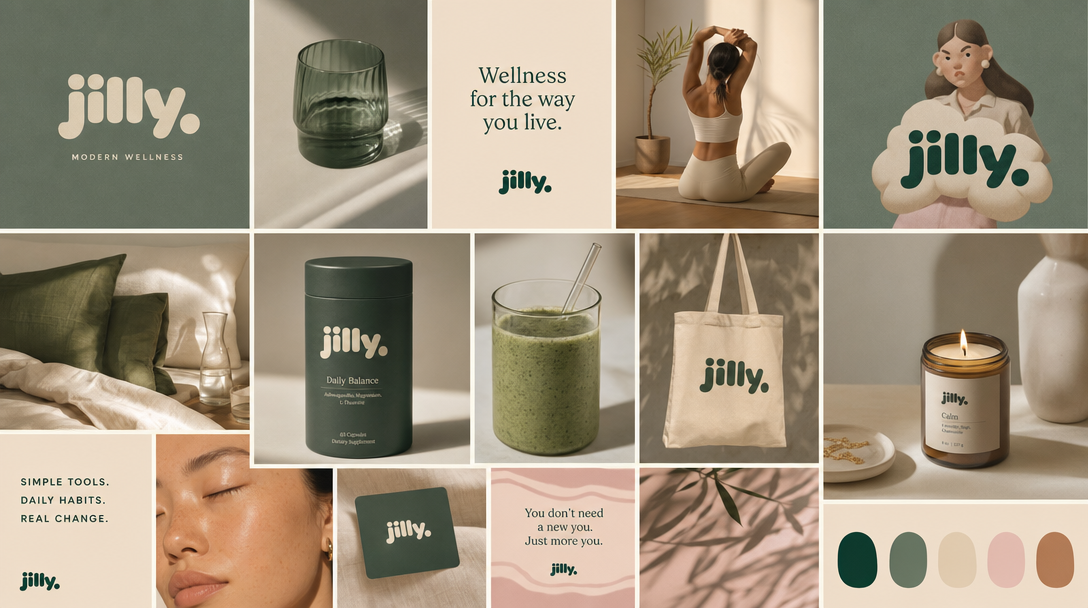
MoodyBoards generates the layer logo makers skip. Describe your brand and it produces an original mood board — palette, typography feel, lighting, subject, and mood — then generates on-brand imagery that inherits that direction. It doesn't make logos; bring one in if you have it. Best when your problem is "my marketing looks like random stock," not "I need a logo." Output is licensed for commercial use with no attribution. See how it compares to logo-first tools →
Canva's Brand Kit stores your logo, colors, and fonts and applies them across a huge template library, plus logo and AI tools in Magic Studio. Best if you want one tool for logos, social, and decks. It's manual — you assemble — and the imagery is stock or AI you place by hand rather than a generated look. See MoodyBoards vs Canva.
Looka is the category leader for "AI brand kit generator." Answer a few questions, get logo options, then package the one you pick into a kit of templated assets. Fast and polished — but logo-first, so the "kit" is your mark on templates, not a full visual identity. See MoodyBoards vs Looka.
Brandmark generates minimal, modern logos plus a basic color and type system from a name and keywords. A good pick if Looka's output felt too templated and you want something cleaner. Still logo-first.
Tailor Brands pairs an AI logo maker with LLC formation and business-admin tools. Convenient if you're incorporating and want the logo bundled in. If you just want visuals, the business-services focus is overhead.
Adobe Express has a logo maker, brand kit storage, templates, and generative tools backed by Adobe's ecosystem. Strong if you already live in Adobe; broad rather than specialized.
A cluster of budget generators (ubrand, LogoAI, sologo.ai) turn a name and industry into a logo plus a lightweight kit. Lower fidelity, but fine for something serviceable, fast, and cheap. Same category limit: it's a logo and templates, not a look.
It's a tool that produces brand assets from a few inputs about your business. In practice, most are logo-first: you answer a few questions and get a logo plus templated assets built around it. A few tools work on a different layer — the visual direction and original imagery — which is what makes a brand feel consistent beyond the logo.
There's no single best — it depends what you need. For a logo and a starter kit, Looka is the best-known and Brandmark and Tailor Brands are strong. For the visual direction and original on-brand imagery around a brand, MoodyBoards fills the gap logo makers leave. Many people use one tool for the logo and another for the look.
Most wrap templates around a logo — the same mark on business cards, social posts, and signatures. That's useful but it isn't a full visual identity. The palette, typography feel, photography style, and mood are what make marketing look like one brand, and that's a different job from generating a logo. MoodyBoards focuses on that layer.