
Describe a space, pin down the palette, materials, and lighting, then generate room visuals that match the concept — built for interior designers, decorators, architects, and homeowners.
MoodyBoards is an AI interior design mood board generator: describe the room or space in a sentence and get a board with its palette, materials, lighting, and mood, then generate room scenes that keep that same direction. It is the right pick when you need to settle what a room should look and feel like before you buy anything.
It sets direction; it is not a product catalog or a floor planner. If your next job is sourcing real furniture and finishes, a sourcing tool such as Morpholio Board, which has a curated product gallery and builds sourcing lists from a board, picks up where MoodyBoards leaves off. For room layouts and measurements, use a floor-planning tool.
Describe the room and the style in one sentence, and let an AI mood board generator such as MoodyBoards build the board for you. In three steps:
Signing up is free and needs no card, and you can make one board as a preview. There is no free plan: unlocking boards and making more needs Starter ($9.99/mo) or Pro ($19.99/mo), both monthly and cancel anytime. See pricing.
Every good room starts as a decision, not a purchase. Before a sofa is ordered or a wall is painted, the look has to be agreed on. That is the job of an interior design mood board: it locks the material palette, the color story, the lighting, and the overall feel in one place, so every later choice — flooring, fixtures, fabric, finishes — points in the same direction. Designers use a mood board to align with a client early, kill expensive second-guessing, and walk into sourcing already knowing what fits.
The hard part has always been making one quickly. Pulling tear sheets, sampling swatches, and hunting for the right reference images can eat a full afternoon before you have anything to show. MoodyBoards collapses that into a few minutes. You write a brief in plain language, and it returns a structured board plus on-concept room imagery that inherits the same direction.
A mood board for a room is more than a grid of pretty pictures. It carries the decisions that everything else depends on:
Wall tones, trim, accent colors, and how warm or cool the room reads.
Wood, stone, metal, plaster, tile — matte, honed, or polished.
Reference shapes and proportions that set the line of the room.
Upholstery, rugs, drapery, and the weight and texture of fabric.
Natural light, fixture style, and whether the mood is bright or low and warm.
The feeling in one word — calm, layered, raw, refined, lived-in.
Two boards, two very different rooms — both generated from a short description, both specific enough to shop from or brief a contractor with.
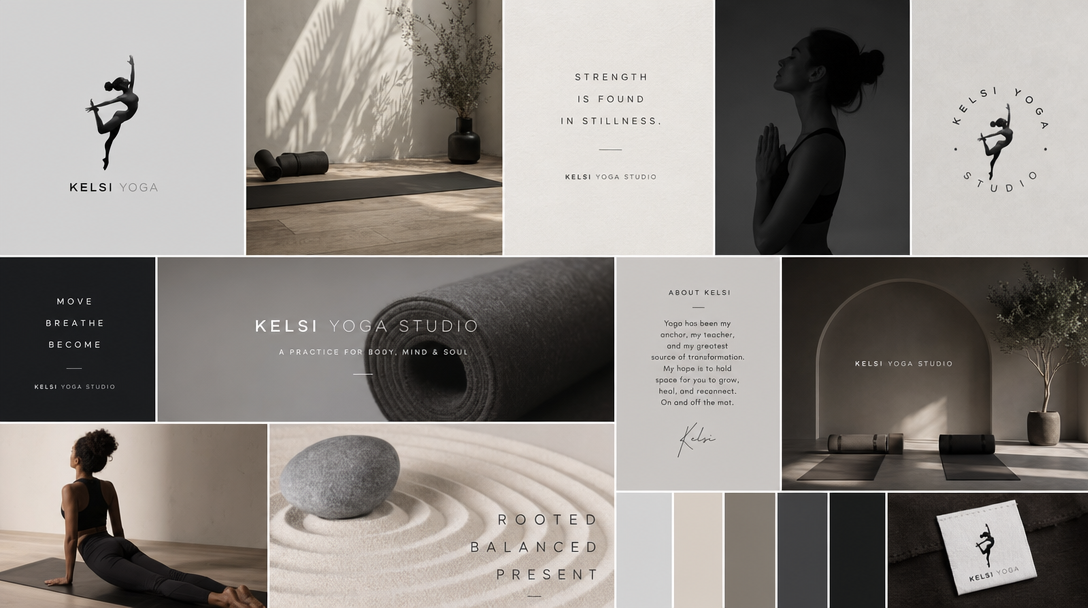
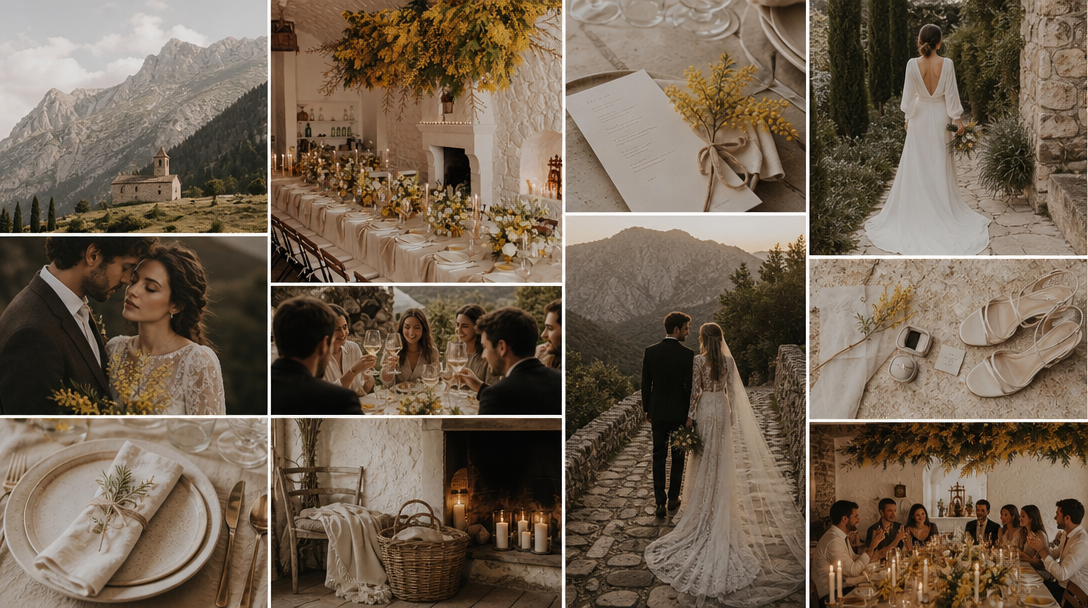
The flow is built for how designers actually think about a space.
Want to push it further? Refine the brief, swap a material, or start a new direction, and the board re-generates around the change. Every image you make is cleared for commercial use with no attribution required.
It is a single visual reference that fixes a room's direction before you source anything — its color palette, materials and finishes, textiles, lighting, and overall feel. It gives you and your client one place to agree on the look so every later decision stays on concept.
Describe the space and the feeling you want, add any reference photos, and generate. MoodyBoards builds a board with a palette, materials, lighting, and mood, then produces room visuals that inherit that exact direction.
Yes. Images you generate are cleared for commercial use with no attribution required, so you can put them straight into client presentations, proposals, and pitch decks.
Yes, as a reference. Both paid plans let you add your own reference photos, and Add a photo of your room as a reference and the board is built around it.
MoodyBoards is free to sign up with no card, and your first board is a preview. Plans to unlock it are Starter at $9.99/mo and Pro at $19.99/mo for designers who want more depth.