You have one photo that feels right. Here is how to turn it into a full moodboard with a palette, type and mood, and then into more images that match it.
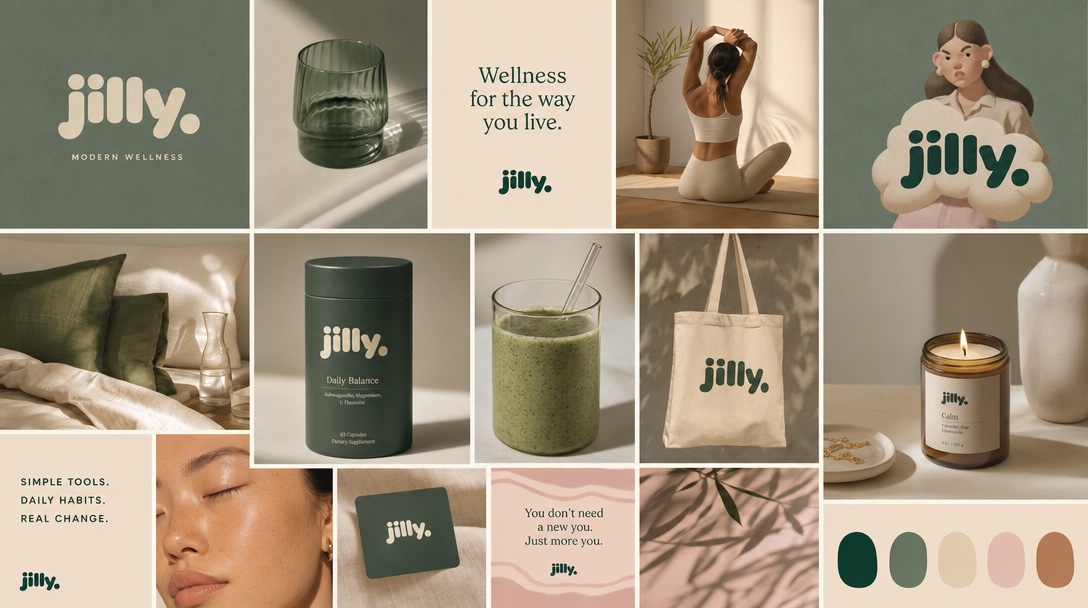
Upload the photo to MoodyBoards as a reference image and add a line describing what you're making. MoodyBoards builds a moodboard around it, with a palette, type pairing, lighting and mood that follow your photo. Then you generate new images from that board, and each one keeps the same look.
Use an AI moodboard generator that takes reference images. In MoodyBoards, the photo steers the board and a short description tells it what the board is for. You don't collect other images first.
If you only need the colors, a palette extractor is enough. If you want to arrange the photo by hand next to other images, a canvas tool works. Both are covered below.

| Question | Answer |
|---|---|
| What you put in | Your photo as a reference image, plus a short description. You can add a logo, product photos, or paste your website. |
| What the board contains | Palette, type pairing, lighting, textures and mood, as one image |
| What you do next | Generate on-brand images from the board, and edit any image after it's made |
| Time | Generated for you, with no layout step |
| Plan needed | Signing up is free, no card, and the first board is a preview. Starter ($9.99/mo) and Pro ($19.99/mo) both include your own reference photos. Monthly, cancel anytime. See pricing. |
| If your “photo” is a finished moodboard | Uploading a moodboard you made elsewhere and generating images that match it is a Pro feature |
| Commercial use | Yes, with no attribution. You need the rights to the photo you upload. |
Plan details from our pricing page and FAQ, as of November 2026.
Checked against each company's own site on November 27, 2026.
A board workspace where you can upload or generate images and use image style references. Adobe says you can use it free with an Adobe account, and higher volume needs a paid plan. Good if you already work in Adobe apps.
A canvas where you drag in your own images and add notes, links and color swatches. You place your photo and build the board around it by hand. Good if you already have the other images too.
A design editor with mood board templates. You drop your photo into a layout and add other images, colors and type yourself. Good when you want a finished page to export.
Both pull a color palette out of an uploaded photo. Adobe Color detects the dominant and accent colors. Coolors has an image picker. Use these when all you need from the photo is the colors.
The difference: these tools hold or measure your photo. MoodyBoards uses it to build a direction you can keep generating from. For more on why a reference beats a long prompt, read reference images are the difference between “AI” and “yours”.
Yes. In MoodyBoards you add the photo as a reference and write one line about what you're making. The board follows the photo's look.
Yes. You can upload a logo and product or reference images, or import them from your website, to keep the board on brand. You need the rights to anything you upload.
We don't use your prompts, images or personal data to train AI models, and the paid AI APIs we use don't train on API inputs or outputs under their data policies. If you delete your account, your personal data and generated content are deleted within 30 days, except where the law requires us to keep data. Details are in the FAQ and privacy policy.
No. Signing up is free and needs no card, and your first board is a preview. Plans start at $9.99 a month.
Yes. Adobe Color and Coolors both extract a palette from an uploaded image. Use MoodyBoards when you want type, mood and new images too.