Canva vs Milanote is a common question once you sit down to make a mood board. Both work. They are built for different jobs, and that decides which one fits you. Here is an honest look at each, what they cost, and who should pick which.
Pick Milanote if your mood board is a working space: you collect references over days, add notes, and share the board with a client or team. Pick Canva if your mood board is a finished page: one clean layout you export as a PDF or image and drop into a deck. If you don't have the images yet and want the board made for you, a third option, MoodyBoards, builds one from a sentence.
Milanote is a board for collecting and thinking. Canva is a page for designing and presenting.
That sounds small, but it changes everything about how the two feel. In Milanote you drop things on a big open board and move them around until a direction shows up. In Canva you start from a fixed page size, often a template, and arrange images into a layout that looks finished.
Neither one picks your images for you. In both, you still find the photos, choose the colors and decide the mood. The tool only changes how you put it together.
Milanote was made for creative people who collect references: designers, writers, filmmakers, art directors. A mood board is close to its main use.
Canva is a general design tool. Mood boards are one of thousands of things it makes, next to social posts, slides and flyers.
If you go the Canva route, our step-by-step guide on how to make a mood board in Canva walks through it.
Both tools have a free plan. Prices below are from each company's public pricing in US dollars, as of November 2026. They change, so check before you buy.
Free: $0, no time limit, capped at 100 notes, images or links and 10 file uploads.
Paid (per person): $9.99 a month billed yearly, or $12.50 billed monthly.
Teams: team plans from $49 a month, billed yearly.
Free: $0, with templates and a smaller photo library.
Pro: $18 a month for one person.
Business: $25 per person a month.
For one person making the odd mood board, both free plans will do. Milanote's free cap is the one you'll hit first if you collect a lot of images. Canva's free plan is roomier for layout but holds back much of its best stock.
Plenty of people use both: Milanote to gather and argue about references, then Canva to lay out the final version. If your team works in Miro instead, see Miro AI vs Canva for mood boards.
Canva and Milanote share one gap. Both assume you already know what the board should look like and have the images to prove it. The slow part, finding images that actually go together, is still your job.
MoodyBoards works the other way. You describe the brand or project in a sentence or two, and it builds the mood board: a color palette, a type pairing and a set of images in one consistent look. You can add reference images or your logo to steer it, then refine with short requests like “warmer” or “less pink.”
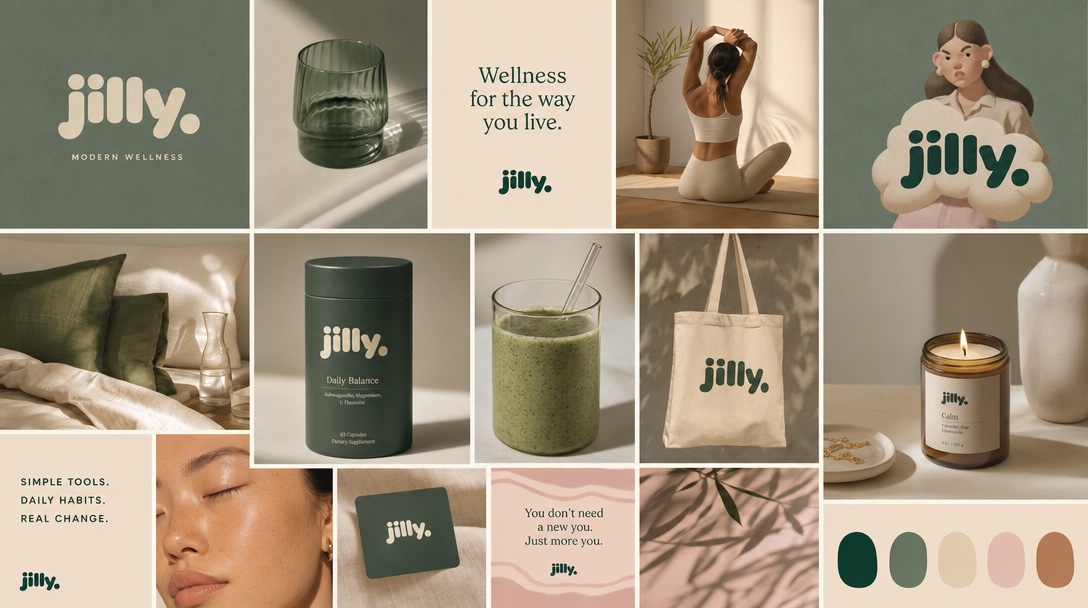
It also goes past the board. The palette and fonts become a simple brand kit you can reuse, and you can make new on-brand images, like product shots and social posts, that keep the same look. MoodyBoards doesn't make logos. If you need one, get it from a designer or a logo maker and bring it in.
It's a fit if you're starting from an idea rather than a folder of images, or you need a direction fast and want to keep making images in it afterward. It's free to sign up and your first board is a preview; plans to unlock it are $9.99 and $19.99 a month. If you already have your references and just need a place to put them, Milanote or Canva is the better pick. For a side-by-side, see MoodyBoards vs Canva and MoodyBoards vs Milanote.
Milanote is better for building a mood board over time, with notes and feedback from other people. Canva is better for a single finished board you export or put in a deck. If you need the images themselves, neither finds them for you.
Yes, Milanote has a free plan with no time limit. As of November 2026 it is capped at 100 notes, images or links and 10 file uploads. The paid plan is $9.99 per person a month billed yearly, or $12.50 billed monthly.
Yes. Canva's free plan includes mood board templates and a basic photo library. Many premium photos, graphics and the Brand Kit need Canva Pro, which is $18 a month as of November 2026.
Yes. An AI mood board generator like MoodyBoards builds a board from a written description, with a palette, fonts and images that go together. You still choose the direction and refine it, but you skip the hunt for images.
Six to twelve images that share a feeling, a color palette, one or two font samples, and a few words that name the mood. Notes on why each image is there help anyone who reads it later.